At work we have several Sony laptops and have recently upgraded to the latest Vodafone-branded Huawei 3G/HSDPA modems… and on all laptops we’ve experienced intermittent connectivity and constant errors.
There is currently a great demand for laptops which provide the user-friendliness of a Mac without the cost and weight of a MacBook or MacBook Pro, or without the cost of size of a MacBook Air.
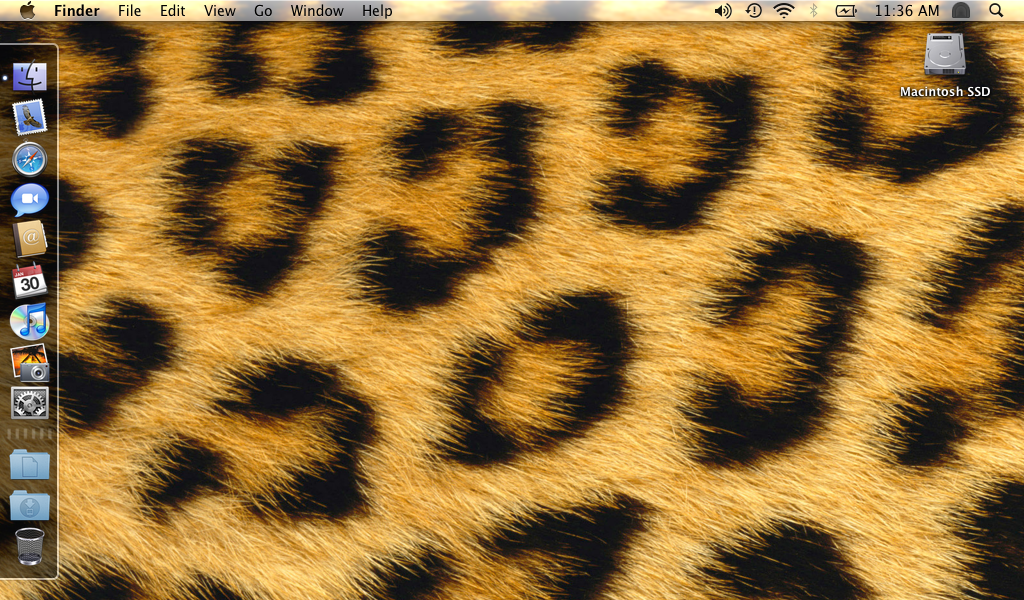
Given that the ever-increasing varieties of Intel Atom-based netbooks are low-cost and roughly equivalent in hardware terms to the original MacBook Air, they make a tempting target to conversions to “MacBook Mini”s.

Indeed, there are a large (and also increasing) number of guides which will tell you how to get OS X running using a variety of ISO images downloaded via BitTorrent and hacked kernels which then require extensive changes to the installed system and come with copious warnings not to upgrade the OS when Software Updater prompts you to… and even then it’s common for basic functions such as sleep or USB not to work (although it has to be said that no method is entirely free from caveats).
This guide doesn’t work like that. This guide will describe how to install OS X from an original Leopard installation DVD and how to end up with an entirely unmodified system (*) which will not break when Apple issues updates.
A Windows Vista-running PC decided to implode the other day, crashing with random noise on the screen (or a really strange frosting-type effect, where slightly off-white static quickly encroaches from the edges of the screen) after Windows has been running for a while, for a few minutes after starting a DirectX game, etc.
Well, good news and bad here…
The good news is that, with the DSDT fix (although in all honesty I’ve not tried without) the 10.5.6 upgrade does the right thing and reboots correctly. Even better, a modified SystemConfiguration is no longer needed in /System/Library. May be due to this, the screen is also no longer stuck at full brightness… although due to the following issue, I don’t know whether it can be modified.
If running Mac OS on a non-Apple laptop, then there’s a sting in the tail of the forthcoming 10.5.6 update: it appears that the new kernel only wants to run with ACPI HPETs, and will fail on boot if legacy i8254/RTC timers have interrupts assigned to them.
To fix this, a replacement ACPI Differentiated System Description Table is required. efi_boot, version 6.1 or above, has the ability to replace the DSDT supplied to the kernel from the system firmware with a customised one: Simply place the alternative DSDT.aml in the root of the EFI volume – generally /Volumes/EFI/.
Initially I ordered a Dell Inspiron 910/Mini 9, after reading about how easy it was to get Leopard running on these machines. However, after initially quoting 15 days delivery then then, on the 15th day, extended this to 30 days – at which point I cancelled the order.
Instead, due to its looks and frankly astonishing battery life, I ordered a Samsung NC10.
As it turns out, although all Atom netbooks are created equal, some are more equal than others – especially where OS X compatibility is concerned…
Finally having built a (just-about) usable PC for the first time in years, I’m considering performing an equally radical upgrade to my input peripherals: Lacking the desk space for a Wacom Intuos3 A5 Wide tablet, I’m looking for a new keyboard and mouse to replace my existing Microsoft Natural Keyboard Pro and Microsoft Intellimouse Explorer.
Foxconn technical support finally came through, and sent me Beta BIOS S02 for the troubled A79A-S. This finally allows memory to run at 1066MHz, albeit with greatly increased timings, well above the speed that the memory is capable of.
The Jetway J7F5M MiniTIX motherboard is yet another entry in the 17x17cm small HTPC/low-powered server market. This particular model runs at 2GHz and features Jetway’s proprietary expansion connector for adding additional network, video, or serial ports. I have a 2xRS232 expansion card on mine, to allow me to fix otherwise broken servers via a serial link – it’s the way of the future
What impressed me is that options for the expansion board appeared in the BIOS, and without any obvious option-ROM loading sequence as is often seen delaying the boot sequence nowadays (JMicron, I’m looking at you) – I can configure the additional ports along with the rest of the system.
What is unfortunate, then, is that Jetway have broken ACPI DSDT tables, built with Microsoft’s non standards-compliant ASL compiler, installed with their BIOS.
This causes a number of issues, including premature shutdown and standby/resume failures – but luckily these are all fixable!